


Choosing a battery for your home can get confusing fast. Battery size, inverter power, solar input, expansion options—the numbers start piling up.
That is why whole-home battery backup benchmarks are useful. Instead of looking at one big battery number, you can compare the things that actually affect your purchase: reliable backup power, solar power generator capability, whole home power generator output, and portable backup power that can grow over time.
In this guide, we’ll break down two of the most useful benchmarks: how much you pay for each kWh of battery storage and how quickly and affordably you can add more capacity later. We’ll also look at real-world outage scenarios so you can see what those numbers mean at home.
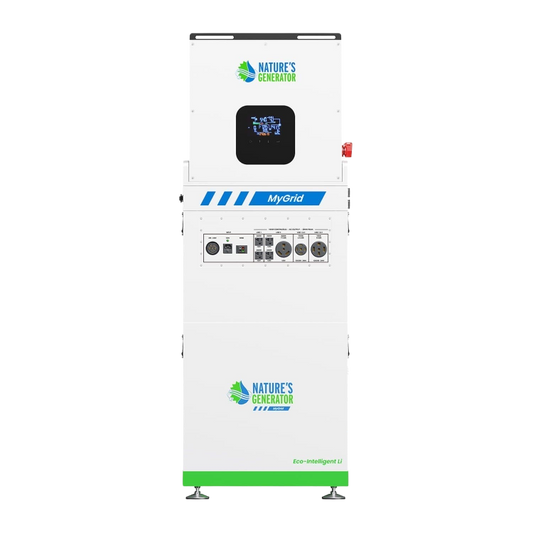
What is the best way to compare the cost of whole-home battery storage?
The easiest starting point is dollars per kWh.
The formula is simple:
Battery price ÷ battery capacity in kWh = cost per kWh
For example, a $5,000 battery with 10kWh of storage works out to $500 per kWh.
A lower number usually means you are getting more battery storage for your money.
But there is an important catch: $/kWh only tells you about stored energy. It does not tell you how much power the system can deliver at once.
That matters because your home does not use electricity at one steady rate.
A refrigerator might draw a few hundred watts. A laptop uses much less. An air conditioner, electric stove, well pump, or other larger appliance can demand thousands of watts.
So when comparing whole-home backup systems, look at these three numbers together:
This gives you a much better picture of value than battery capacity alone.
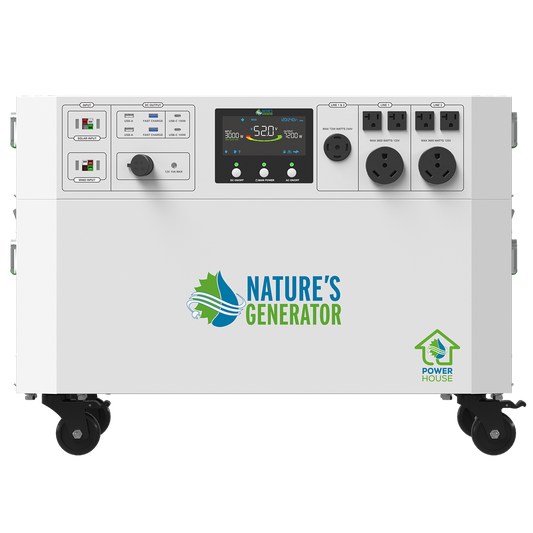
Which system gives you more battery for your money?
Based on current listed pricing, the MyGrid 10K gives you more storage per dollar, while the Powerhouse Gen 2 gives you a lower-cost starting point.
The Powerhouse Gen 2 is the easier entry point if you want strong whole-home power without jumping straight into a larger battery investment.
The MyGrid 10K costs more upfront, but you start with more than twice the storage. That makes the cost per kWh lower from day one.
Think about it this way:
Powerhouse Gen 2: Spend less upfront and expand as your needs grow.
MyGrid 10K: Spend more upfront and get a larger energy reserve from the start.
Neither approach is automatically better. It depends on how long you expect outages to last and how much of your home you want to keep running.
How much does it cost to add more battery storage later?
This is one of the most overlooked numbers when people compare home battery systems.
A system might look expensive at first, but the bigger question is:
How much will it cost when I need more storage?
The Powerhouse Power Pod adds 4.8kWh of storage for $2,499.99.
That works out to roughly:
$2,499.99 ÷ 4.8 = ~$521 per added kWh
The MyGrid 10K Solar Battery adds 10.496kWh for $2,999.99.
That works out to roughly:
$2,999.99 ÷ 10.496 = ~$286 per added kWh
Here is the comparison:
That is a big difference.
The Powerhouse gives you a simple way to add another chunk of storage without replacing your original system.
The MyGrid approach gives you a much larger amount of additional storage for the money.
For homeowners who expect their energy needs to grow, expansion cost can matter just as much as the original purchase price.
See the MyGrid 10K Solar Battery
How quickly can you expand a home battery system?
Both systems are built around modular expansion, which means you do not necessarily have to buy the maximum battery capacity on day one.
The Powerhouse Gen 2 uses Power Pods that connect to the main unit. Each additional Power Pod increases the available battery capacity, and the system can expand up to 28.8kWh using five Power Pods.
The MyGrid 10K can also be expanded by adding additional batteries. Nature’s Generator states that one additional battery doubles the runtime, with support for up to seven batteries.
The big advantage here is flexibility.
You might buy a system for:
-
Overnight outages
-
Refrigerator and freezer backup
-
Internet and home-office equipment
-
Essential lights
-
Medical or other critical equipment
Later, you might decide you want enough storage for:
-
Longer blackouts
-
More appliances
-
A larger home
-
Off-grid use
-
More solar storage
Instead of replacing your whole setup, you can add battery capacity.
That can make a smaller initial purchase much easier to justify.
How much battery do you actually need during a blackout?
It all comes down to how much electricity your home uses.
For a simple example, imagine your essential loads average 500W during an outage.
That could include a refrigerator cycling on and off, Wi-Fi, lights, phones, laptops, and a television.
A 4.8kWh battery would provide roughly:
4.8kWh ÷ 0.5kW = 9.6 hours
A 10.496kWh battery would provide roughly:
10.496kWh ÷ 0.5kW = 21 hours
Those are basic theoretical calculations. Actual runtime will be lower or higher depending on inverter efficiency, appliance cycling, battery reserve, temperature, and changes in your load.
Now imagine your average outage load rises to 1,000W.
The same batteries would theoretically provide:
Powerhouse Gen 2: about 4.8 hours
MyGrid 10K: about 10.5 hours
This shows why battery capacity matters so much during longer outages.
A large inverter can run powerful appliances, but without enough stored energy, it may not run them for long.
What does a two- or three-day outage look like?
Long outages change the buying decision.
Let's say you cut your normal household consumption down to around 8kWh per day by running only essential appliances.
A 4.8kWh battery is not enough for a full day at that level.
A 10.496kWh battery gives you a much bigger buffer.
Add more storage, and the picture changes again.
The Powerhouse system can be expanded to 28.8kWh of nominal storage.
The MyGrid 10K can be expanded to roughly 73.4kWh with seven batteries.
That does not mean you can use every stored watt-hour for any load you want. Inverter limits, charging conditions, appliance demand, and system losses still matter.
But it does show why expansion matters for households preparing for 48- or 72-hour outages.
For a storm-prone area or a home where losing power for several days would be a major problem, having a path to more storage can be more useful than simply buying the cheapest battery today.
Which system is better for a short outage?
For a short outage, the Powerhouse Gen 2 can be a practical choice because it combines a lower entry price with high power output.
It provides up to 7,200W of continuous output and supports 120/240V split-phase power, making it suitable for a wide range of household loads.
That makes it useful when your main goal is keeping essential equipment running during shorter interruptions.
For example, you could prioritize:
Refrigerator + freezer + Wi-Fi + lights + computers
rather than trying to power every appliance in the house.
That approach can stretch your battery much further.
Which system makes more sense for long outages?
For longer outages, battery capacity becomes much more important, and this is where the MyGrid 10K has an advantage.
It starts with 10.496kWh of storage and 10,000W of continuous output.
It also supports up to 12,000W of solar input, which can be especially useful during extended outages because you can recharge the battery from solar instead of relying only on the grid.
That changes the way you think about backup power.
Instead of asking:
How many hours can my battery last?
You can also ask:
How much energy can I use, and how quickly can I put that energy back into the battery?
For multi-day outages, that second question becomes critical.
What should you check before buying a whole-home battery?
Do not choose a battery based on price or kWh alone.
Start with these five questions:
1. How much energy does my home actually need?
Look at your electricity bills and identify the appliances you consider essential during an outage.
2. What appliances need to run at the same time?
This tells you whether the inverter has enough output.
3. How long do I want to last without grid power?
An overnight outage is very different from a three-day blackout.
4. How much will expansion cost?
A system that looks expensive today could become better value over time if its additional batteries are affordable.
5. Can solar recharge the system?
For longer outages, the ability to generate and store more electricity can be just as important as the battery's starting capacity.
Is a lower $/kWh always the better deal?
No.
A lower dollar-per-kWh figure is useful, but it does not automatically mean the system is better for your home.
For example, a battery may offer cheap storage but lack enough inverter output for the appliances you need.
Another system may cost more per kWh but offer the voltage, power output, charging capability, or expansion options that better fit your home.
That is why the best comparison combines storage + output + expansion + charging.
Think of $/kWh as the first filter—not the final answer.
Which whole-home battery gives you the best value overall?
It depends on what you need to fix.
Choose the Powerhouse Gen 2 when:
You want a lower-cost entry point, strong inverter output, and the option to add storage later.
Choose the MyGrid 10K when:
You want more battery capacity upfront, a lower expansion cost per kWh, higher continuous output, and a larger long-term storage ceiling.
For occasional blackouts, starting smaller can make sense.
For frequent or multi-day outages, spending more on storage upfront—or choosing a system with a cheaper expansion path—can save you from outgrowing your setup later.
What are the most useful whole-home battery benchmarks?
The easiest way to compare home battery systems is to look beyond the sticker price.
Start with $/kWh to see how much storage you are getting for your money. Then check continuous output to make sure the system can handle the appliances you need. Finally, look at expansion cost and speed so you know what happens when your energy needs increase.
The Powerhouse Gen 2 offers a lower starting price and a straightforward path to more storage. MyGrid 10K starts larger and offers a lower incremental cost per added kWh, making it attractive for homeowners who expect to need more energy storage over time.
Nature’s Generator gives you a choice between starting with a smaller system and building up, or starting with more storage from the beginning.
The smartest purchase is not necessarily the battery with the biggest number. It is the one that gives your home enough power today and gives you a practical way to get more tomorrow.
Nature’s Generator makes that decision easier by offering modular backup systems that can scale with your home's energy needs.


